
 css中使用js的变量
# css中使用js的变量
作为一个前端开发者,css和js是我们日常工作中必不可少的。在实际的项目开发中我们经常会遇到一些动态改变的样式,此时传统的css已经不能满足我们的需求,使用js直接操作dom设置css样式的成本又较大,且可能会导致代码的可读性降低,因此在css属性值中使用js操作的变量就显得尤为重要了,本文就通过实际项目操作现场展示如何做到在css属性值中使用js变量,作为一个前端开发过程中的小技巧。
提示
本章内容是博主自身开发过程中使用的,若有不足,欢迎指正。
# 前置知识
因为博主主要技术栈为Vue,所以本文通过 Vue 项目代码来说明中如何实现在 css 中使用 js 变量。
Vue 2.7及 Vue3中已经支持了在 css 中使用 js 变量了,只需要在css的属性值中使用 v-bind指令即可,简单且优雅。 Vue2虽然已经不再维护,但目前还是有部分老项目以及一些追求稳定的项目依旧在使用,下面就通过实际操作来演示下怎么做。
# js 中设置 css 变量
在js中我们可以通过 document.documentElement.style.setProperty() 来将某些变量设置css变量,例如下面语法:
document.documentElement.style.setProperty('--btnColor', 'red');
# css 中使用js变量
CSS3中引入了CSS变量的概念,使用var()函数代表变量名,从而使得CSS样式可以重复使用。通过使用var()函数,我们可以方便地引用一些在CSS预处理器中定义的变量,这些变量可以控制各种不同样式的输出,例如下面语法:
.btn-active{
	color: var(--btnColor);
}
2
3
# Vue2 中还可以如何通过变量来实现动态样式
在Vue中,我们可以通过动态样式来绑定一些我们需要的 class 或style等,下面例子中使用了计算属性来设置动态style,例如下面代码:
<template>
    <div>
        <div class="test" :style="{ height: compStyle }">胸藏文墨怀若谷,腹有诗书气自华。</div>
    </div>
</template>

<script>
    export default {

        data () {
            return {
                height: 100
            }
        },
        computed: {
            compStyle () {
                return this.height * 2 + 'px'
            }
        }
    }
</script>

<style scoped>
  .test {
    width: 200px;
    border: 1px solid #ebebeb;
    background: pink;
    margin: 0 auto;
  }
</style>
2
3
4
5
6
7
8
9
10
11
12
13
14
15
16
17
18
19
20
21
22
23
24
25
26
27
28
29
30
31
效果如下图所示:
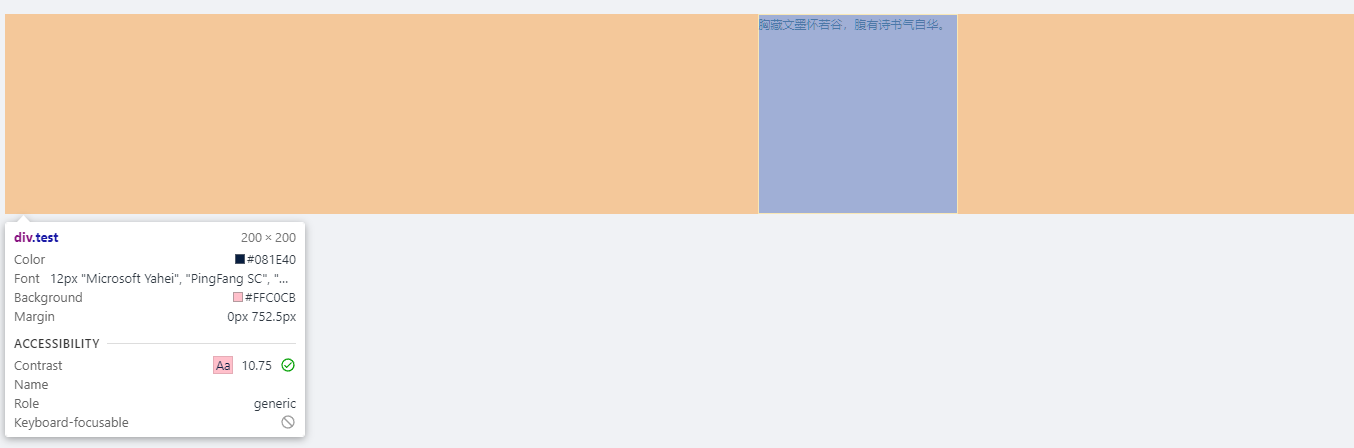
在某些动态样式需要依据当前页面中部门变量的值来判断显示,满足不同的条件时显示不同的样式时更适合使用这种方式。例如下面业务代码中判断条件很多,根据不同的条件返回不同的结果,部分代码因为公司业务等原因已经简化,理解如何实现即可:
<template>
    <div class="package-card-data" :style="dynamicStyle"></div>
</template>

<script>
    export default {

        data () {
            return {}
        },
        computed: {
            // grid 布局根据依赖源、搜索、虚拟仓库等 需要拆分为 几部分
            dynamicStyle () {
                let style = '1fr 1fr 1fr 1fr'
                if (this.whetherRepoSearch) {
                    // 在制品搜索页面时
                    if (this.cardData.type) {
                        // 依赖源仓库,添加了所属仓库,所以默认值为 5 + 1 = 6
                        // 搜索条件有值的状态下,因为添加了搜索结果字段,需要加 1
                        style = this.showRepoSearchVersion ? '2fr 2fr 2fr 2fr 1fr 1fr' : '2fr 2fr 2fr 2fr 1fr '
                    } else {
                        // generic 仓库
                        style = '1fr 1fr 1fr 1fr'
                    }
                } else {
                    // 非搜索页面,因为generic仓库没有使用到此组件,只有依赖源仓库在用,所以最小为 5
                    // 虚拟仓库,因为添加了仓库来源,需要加 1
                    style = this.whetherRepoVirtual ? '2fr 2fr 2fr 2fr 1fr 1fr' : '2fr 2fr 2fr 1fr 1fr '
                }
                return { 'grid-template-columns': `${style}` }
            },
        }
    }
</script>

<style scoped>
.package-card-data {
    display: grid;
}
</style>
2
3
4
5
6
7
8
9
10
11
12
13
14
15
16
17
18
19
20
21
22
23
24
25
26
27
28
29
30
31
32
33
34
35
36
37
38
39
40
# Vue2.7 中在css中使用js变量
<template>
    <div>
        <span>胸藏文墨怀若谷,</span>
        <span>腹有诗书气自华。</span>
    </div>
</template>

<script>
    export default {
        data () {
            return {
                color1: 'pink',
                color2: 'yellow'
            }
        }
    }
</script>

<style scoped>
span:nth-child(1) {
  background: v-bind(color1);
}
span:nth-child(2) {
  background: v-bind(color2);
}
</style>
2
3
4
5
6
7
8
9
10
11
12
13
14
15
16
17
18
19
20
21
22
23
24
25
26
# Vue3 中在css中使用js变量
<script setup>
import { ref } from 'vue';
const color1 = ref('pink');
const color2 = ref('yellow');
</script>

<template>
  <div>
    <span>胸藏文墨怀若谷,</span>
    <span>腹有诗书气自华。</span>
  </div>
</template>

<style scoped>
span:nth-child(1) {
  background: v-bind(color1);
}
span:nth-child(2) {
  background: v-bind(color2);
}
</style>
2
3
4
5
6
7
8
9
10
11
12
13
14
15
16
17
18
19
20
21